Cleaning & Security
Schedule your crews without the chaos.
Rosters for every client site, full-time and casual crews, and the changes clients make at short notice.
From $29 a month, 25 staff included. Free for 30 days on any plan, no card.
- Every site in one place
- Last-minute changes, re-rostered
- Full-time, part-time and casual crews
- Rules checked on every shift
- 22Rules checked on every shift
- A month, 25 staff included, in USD
- $29A month, 25 staff included, in USD
- Free on any plan, no card
- 30 daysFree on any plan, no card
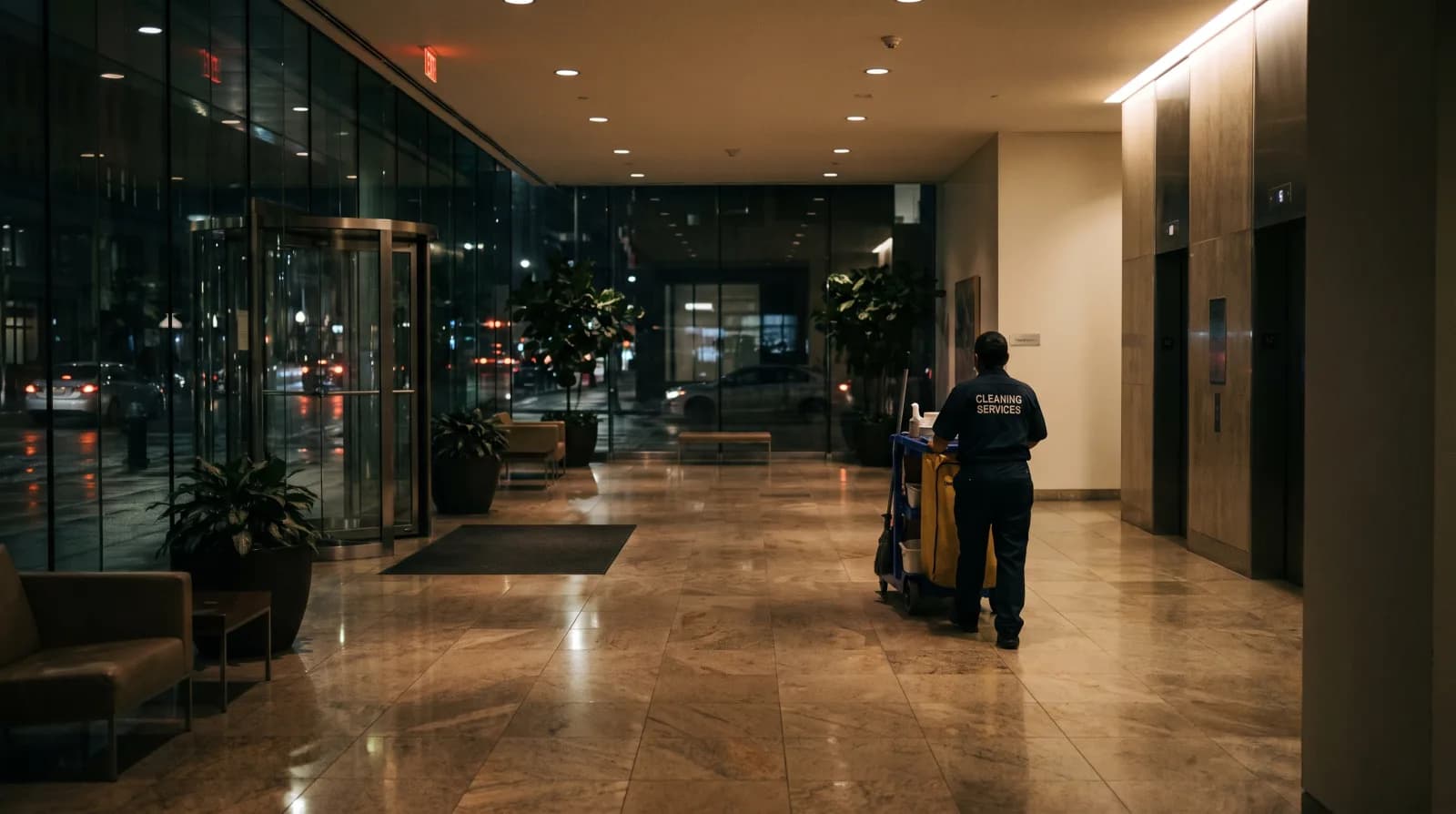
The shift starts when everybody else has gone home.
What you get
Built for how cleaning and security crews work.
Site-based scheduling
Each client site has its own roster. See coverage across all your contracts from one dashboard.
Client roster templates
Build a recurring roster per client: same crew, same times, every week. Change it for one-offs and special events.
Mobile clock-in
On the Team plan and up, staff clock in and out from their phone, and the hours go onto their timesheet. On Business you can require them to be on site to clock in.
Crew grouping
Keep regular teams together. Set a home site per person and Rosie prefers it when filling shifts, so crews stay familiar.
Compliance tracking
Rest between shifts, maximum hours and days in a row, kept to when Rosie writes the roster.
Availability management
On the Team plan and up, staff set their own availability. When a site needs cover, Rosie shows you who is free.
In practice
The situations that cost you a morning.
New client starting Monday
You've just won a new office cleaning contract. You need a recurring roster for 3 cleaners across 5 evenings, starting in 4 days.
With Rosie: Build the template roster in Rosie, assign your available crew, and publish. On the Team plan and up, the crew gets a notification in the app. Reuse the template each week.
Guard no-show at the hospital
Your overnight security guard doesn't show up at a hospital site. The client calls demanding cover immediately.
With Rosie: Rosie lists every guard who holds the role and is free. Give one of them the shift.
Event season scale-up
Concert season means tripling your security crew for 6 weeks. You need to bring on casual guards and get them rostered fast.
With Rosie: Add your casual guards to Rosie with their roles and the days they can work. Auto-fill the event rosters around who is free and qualified.
The difference
What changes on Monday morning.
Managing multiple sites
- Without Rosie
- Separate spreadsheet per client
- With Rosie
- One dashboard, all sites
Finding replacement staff
- Without Rosie
- Phone calls at 2am
- With Rosie
- A list of who holds the role and is free
Tracking hours worked
- Without Rosie
- Paper timesheets collected weekly
- With Rosie
- Clock-in on their phone (Team plan and up)
Onboarding a new site
- Without Rosie
- Build a new spreadsheet from scratch
- With Rosie
- Build a template roster once, reuse it every week
Invoicing accuracy
- Without Rosie
- Manual hour tallying
- With Rosie
- Time records per site (Team plan and up)
| Without Rosie | With Rosie | |
|---|---|---|
| Managing multiple sites | Separate spreadsheet per client | One dashboard, all sites |
| Finding replacement staff | Phone calls at 2am | A list of who holds the role and is free |
| Tracking hours worked | Paper timesheets collected weekly | Clock-in on their phone (Team plan and up) |
| Onboarding a new site | Build a new spreadsheet from scratch | Build a template roster once, reuse it every week |
| Invoicing accuracy | Manual hour tallying | Time records per site (Team plan and up) |
Straight answers
Questions from cleaning and security crews.
Can I manage full-time staff and casuals together?
Yes. Add everyone with their employment type (full-time, part-time or casual), the days they can work, and their roles. When filling shifts, Rosie keeps to each person’s maximum hours and availability.
How does site-based rostering work?
Each client site is a location in Rosie. You build rosters per site, set staffing requirements, and see coverage across all your contracts from one dashboard. On the Roster plan, up to 3 sites; more on Team and Business.
Does it handle overnight shifts?
Yes. Shifts that cross midnight (for example 10pm to 6am) are handled correctly, and rest between shifts is worked out properly across the two days.
Can staff clock in from their phone?
Yes, on the Team plan and up, and the hours go straight onto their timesheet. On the Business plan you can also require staff to be on site to clock in.
How do I handle last-minute client changes?
Edit the roster in Rosie, and on the Team plan and up the staff affected get a notification in the app. If you need extra people, Rosie shows you who is free and holds the role for that site.
Is there a free trial?
30 days free, no credit card required. Add your sites, your crews, and let Rosie build your first roster.
Price
$29 a month for your roster.
Roster
$29
a month for 12 staff
$29 a month flat, with 25 staff included.
Build the roster and share it by printing or exporting it. Your staff don’t get the Rosie app on this plan.
- Rosters and shift templates
- Rosie writes the roster for you (auto-fill)
- Maximum hours and minimum rest between shifts
- Your staff, roles and up to 3 venues
- Print or export the roster
- $1.20 a month for each staff member over 25
Team
$59
a month for 12 staff
$29 a month plus $2.50 for each staff member. Above 25 staff, each extra one adds $1.20, as on Roster.
Adds the staff app, timesheets, leave, shift swaps and Xero.
- Everything in Roster, plus
- The staff app: shifts, clock-in and leave on their phone
- Timesheets, and hours sent to Xero
- Who is free, leave and shift swaps
- Rules for each employment type, and weekend and public holiday pay rates
- Certificates, reports, up to 10 venues
Business
$77
a month for 12 staff
$29 a month plus $4 for each staff member. Above 25 staff, each extra one adds $1.20, as on Roster.
For groups running several venues.
- Everything in Team, plus
- A clock-in tablet at the venue
- You can require staff to be at the venue to clock in
- Your own break rules, and break sign-off at clock-out
- Different rules for each venue
- Unlimited venues
Free for 30 days on any plan, no card. The trial runs on the plan you pick, and you can change plan any time.
Prices are in USD. Manager and owner logins are free: you pay for your staff, not for the people running the roster. Export your roster and staff list as CSV (plus timesheets and reports on Team and up), and close the account yourself, any time.
Get started
Stop juggling spreadsheets for every site.
Free for 30 days on any plan, no card. See how it decides, or check your current roster for free.
Other industries